Today we’re excited to announce HyperFollow, a free service from DistroKid that helps artists collect pre-saves and build a following on Spotify.
The way it works is simple.
Let’s say you want to tell people on Instagram or Facebook (or wherever) about your Spotify music. Instead of sending them directly to Spotify, you can now send them to your HyperFollow page.
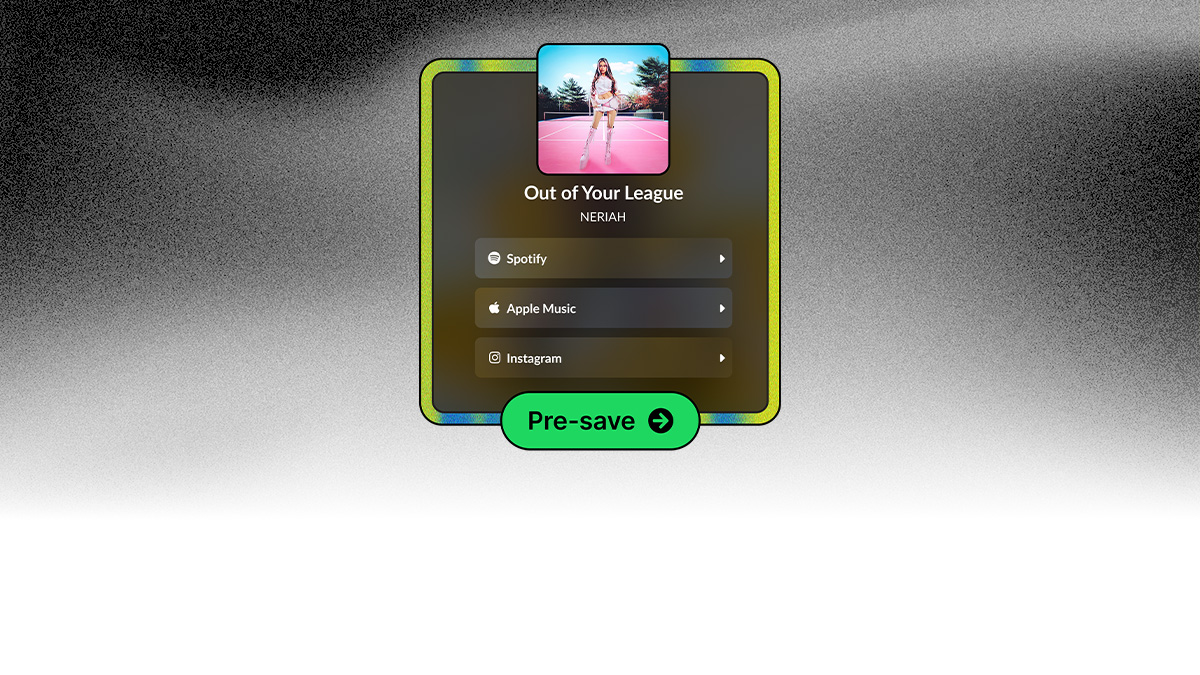
Here’s an example HyperFollow page:
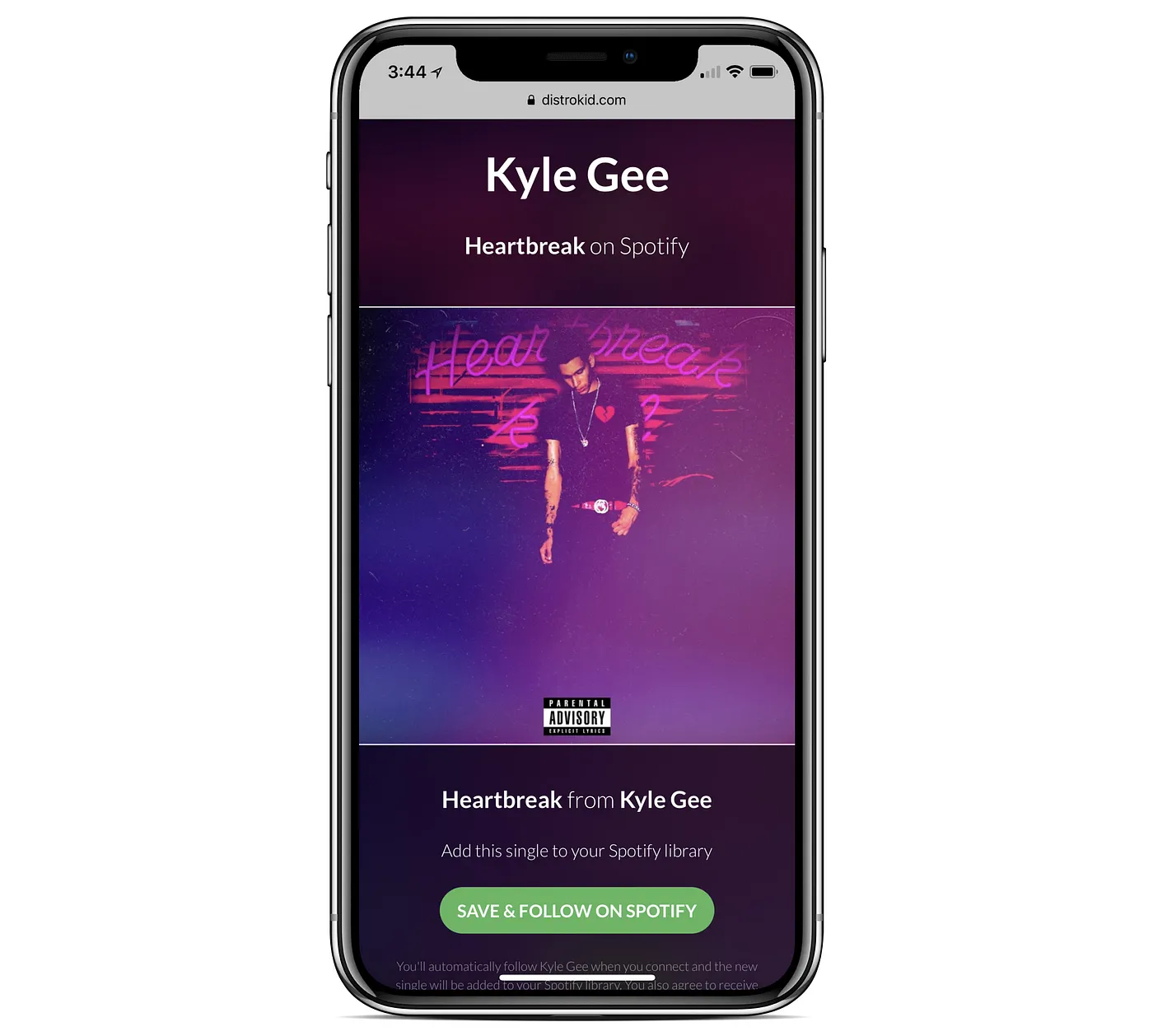
Here are some of the benefits:
More followers
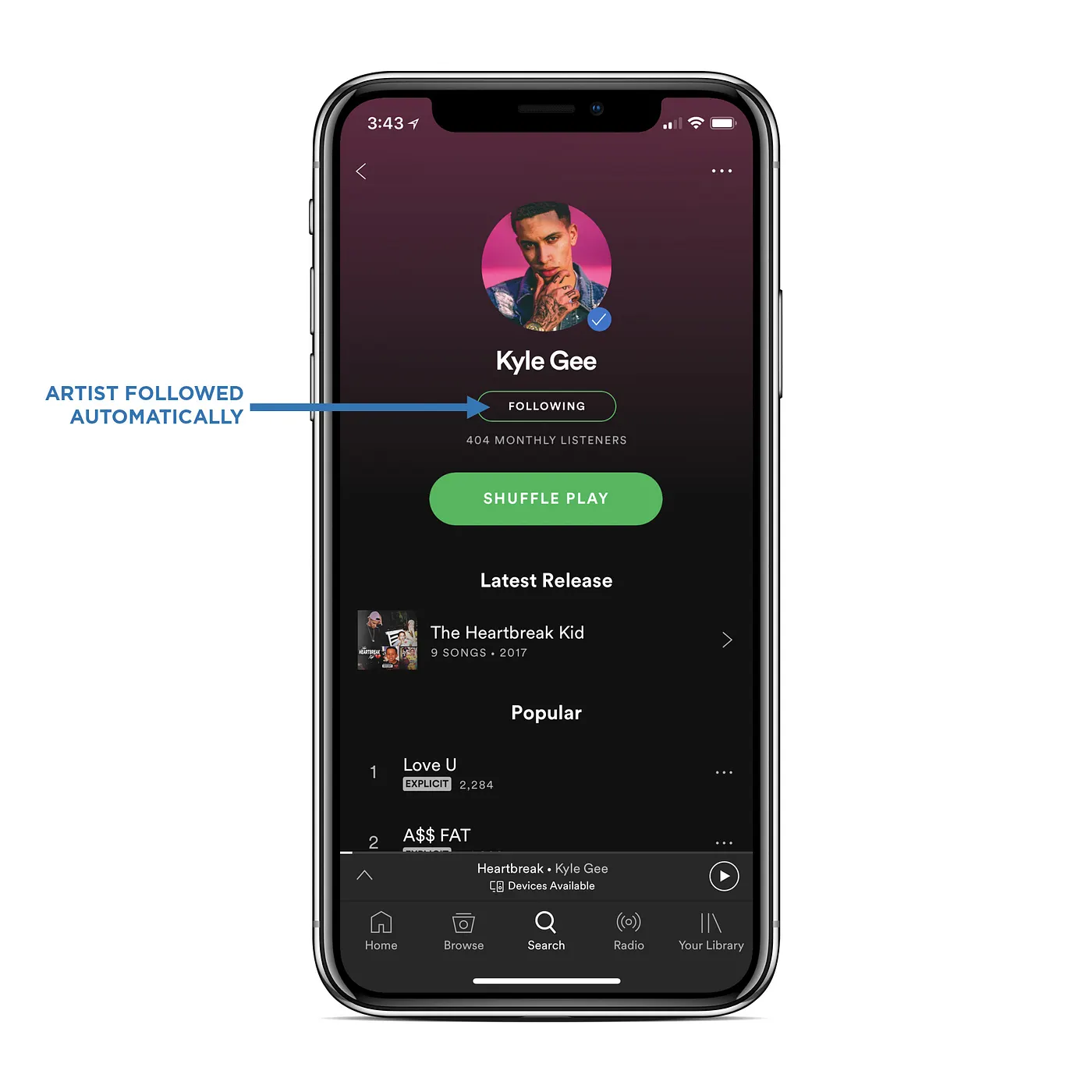
Anyone who clicks the button on your HyperFollow page will automatically follow you on Spotify.
Having more followers makes it more likely you’ll appear on algorithmic playlists like “Release Radar” and “Discover Weekly,” which are personalized for each Spotify listener based on various factors—including who they follow.
And as you grow your Spotify following, you’ll increase the likelihood of getting noticed by Spotify’s human and robot editors, who can potentially add you to bigger, curated playlists.
More listeners
In addition to following your artist page on Spotify, whoever clicks the button will also automatically save your album to their Spotify library.
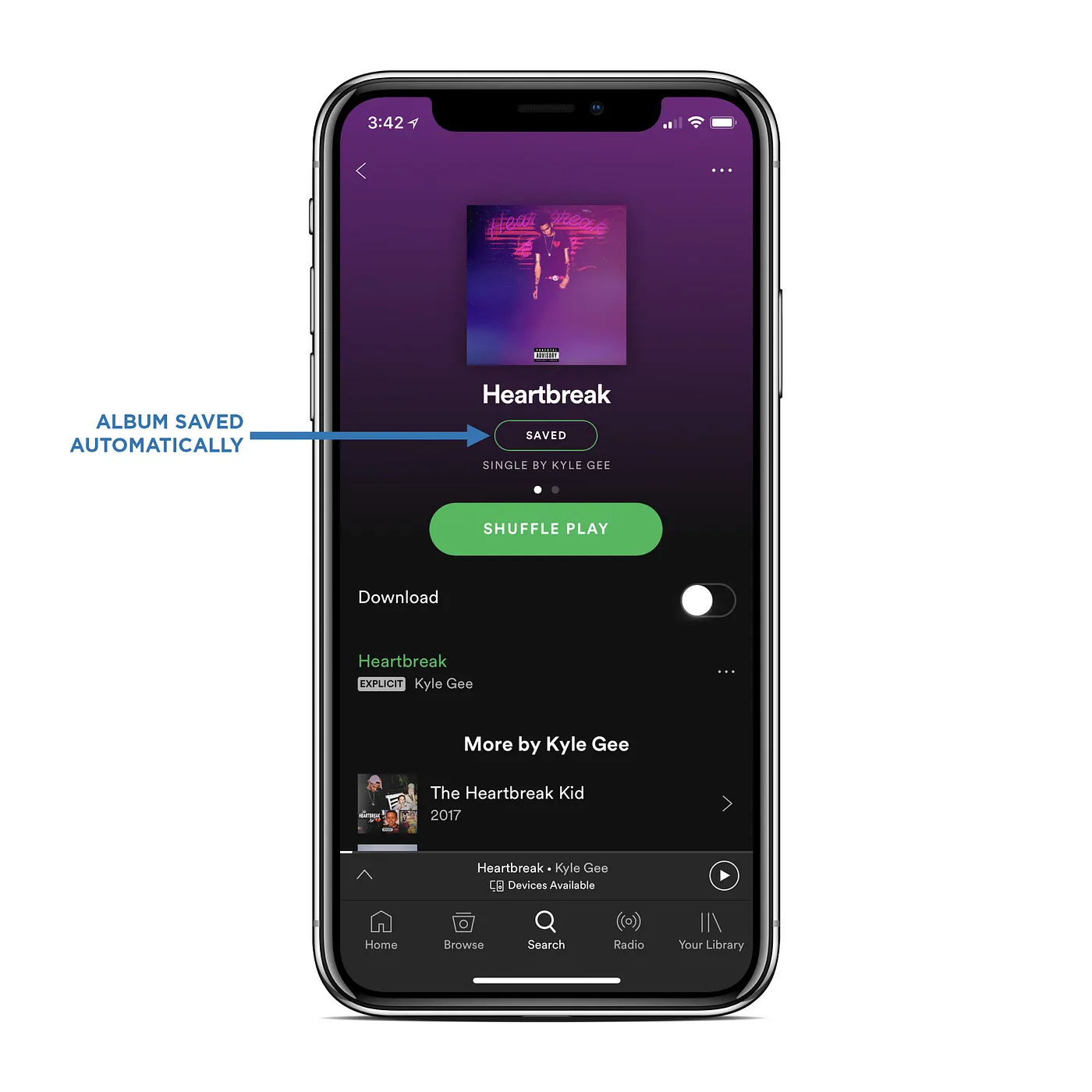
This reduces the risk that someone will listen once and forget about you. Because you’ll be right there in their Spotify library, ready for more listens.
Also, immediately after someone clicks your HyperFollow button, they’re presented with an embedded Spotify player that has your track preloaded. So they can listen right there on the HyperFollow page. Try it here.
More contacts
You will get each fan’s email address if they opt in. (Musician Plus and Ultimate plans only)
More outreach
We’ll automatically email your fans when your release goes live.
And that email has links that make it easy for your fans to share your release on social media. So it’s like, viral n stuff.
More research
You will have access to city-level geographic location and other anonymized demographic information about your fans.
More insight
You’ll be able to see the other music that your fans are listening to. Even if those other artists don’t use DistroKid.

More stats
You’ll know how many people visited your HyperFollow page and how many followers you added.
Pre-save
If you’ve uploaded your release to DistroKid but it’s not live on Spotify yet, HyperFollow automatically turns into a “pre-save” service.
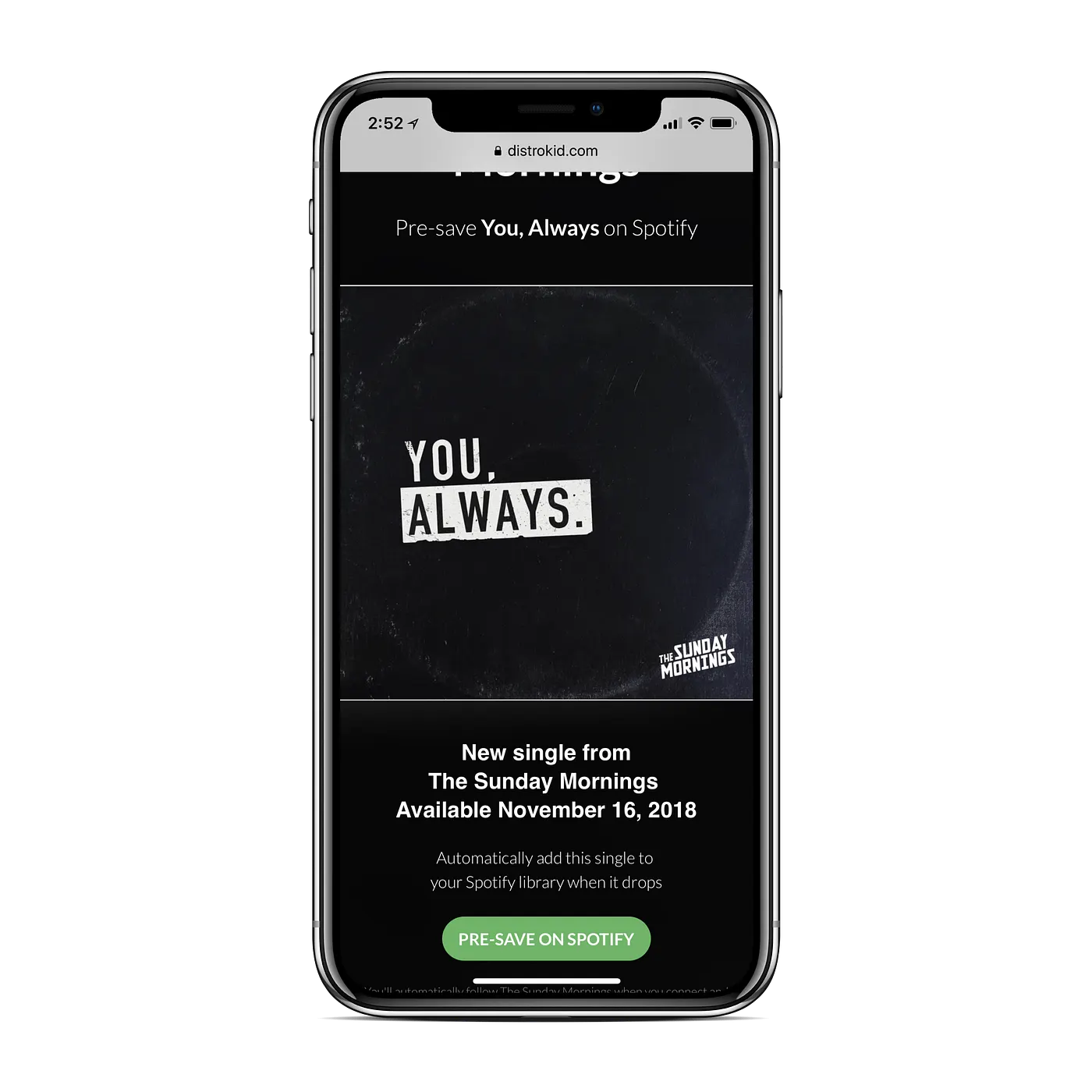
Fans can click the button any time—even before your album drops. DistroKid will then detect the moment your album goes live, and automatically add all your new followers (and saves) on your release date. We’ll also email those followers and let them know they can start listening.
You don’t have to think about it or do anything.
HyperFollow is free for all DistroKid members. It’s available today, and supports all DistroKid releases—even old tracks.
Get your HyperFollow link (you'll need to sign in to DistroKid) and start sharing.